Document reception
Menu › Document reception
What it’s for
When a supplier sells to you, they send you their electronic invoice file. Hacienda expects you to respond whether you accept it or not. That’s what happens here, and it’s a requirement, not an optional step.
Watch the direction: Documents is what you sold; Reception is what was sold to you.
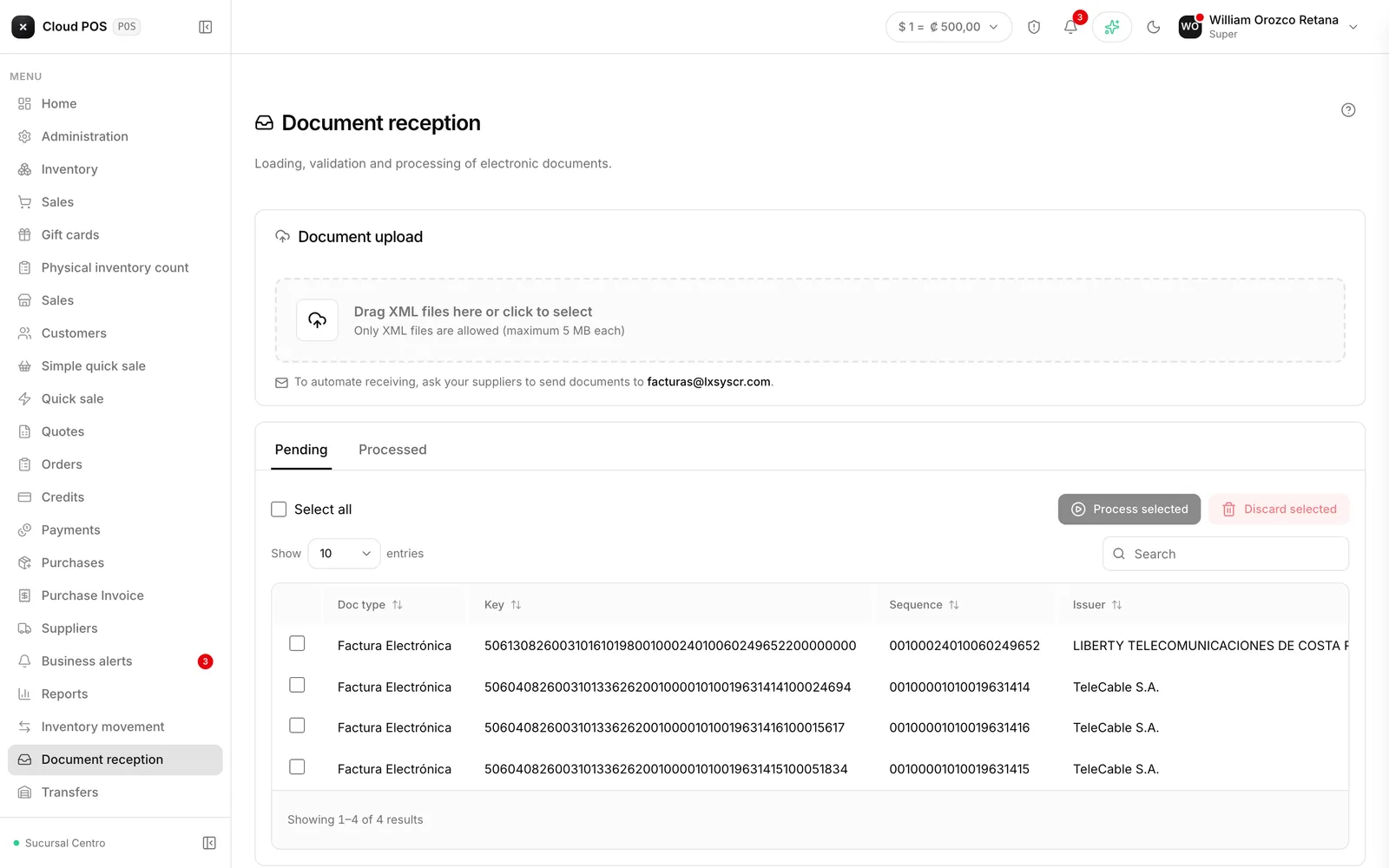
The flow
Upload the files
Drag them into the box or tap to browse for them. It accepts several at once, up to 5 MB each. Electronic invoice files only.
Check the upload results
The system shows, file by file, which ones went through and which didn’t.
Select the ones you're going to respond to
On the Pending tab, using the checkboxes.
Tap Process selected
Choose the economic activity and the type of response: Accepted, Partially accepted, or Rejected.
Documents you’ve responded to move to the Processed tab.
Things worth knowing
Discarding deletes permanently. It’s not archiving — the document disappears from the inbox, and you’ll have to upload it again if you made a mistake.
“Rejected” means something different here than on Documents. Here, it’s you rejecting the purchase from the supplier. On Documents, it’s Hacienda rejecting a receipt of yours.
The response goes to Hacienda, not to the supplier. It’s your declaration about that purchase.