Inventory monitor
Menu › Inventory › Monitor
What it’s for
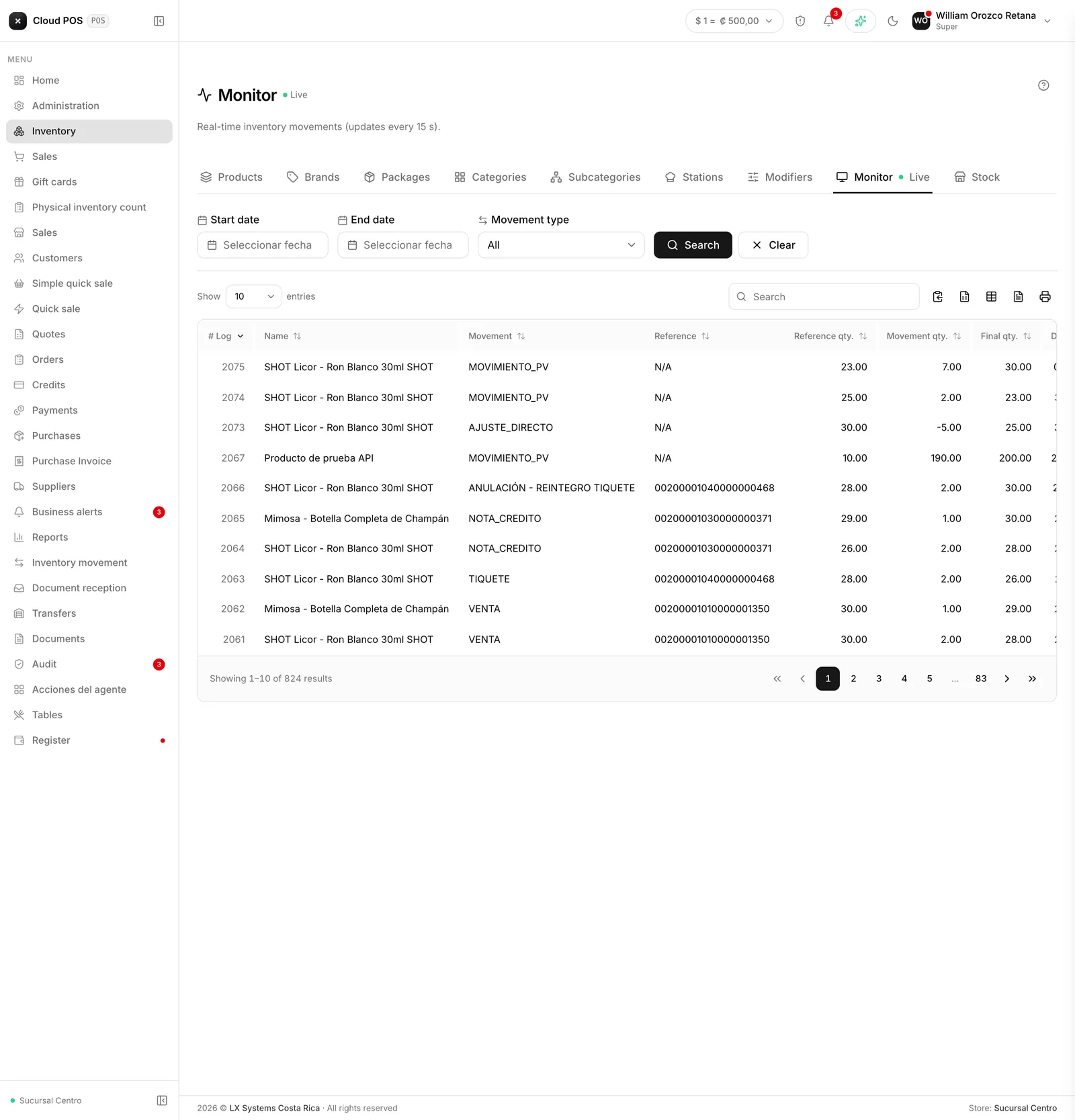
It’s the live log of everything that affects stock: sales, receipts, stock entries, movements, and transfers, as they happen.
How to use it
Filter by date and movement type to find something specific, or leave it open to follow what’s happening with inventory live, right now. Each row shows the product, what type of movement it was, its reference, and the resulting stock after that movement.
Things worth knowing
It updates live: every 15 seconds, if someone sells or logs something while you’re watching, it appears.
It shows movement for the whole business, not one warehouse or store in particular. The filter is by date and movement type, not location.
If something goes negative in stock, more was sold than was on record. It almost always means a purchase hasn’t been logged.