New order
Menu › Orders › New Order
What it’s for
Puts the order together: customer, products, and quantities. When you’re done, it generates a document you can send to the customer for approval.
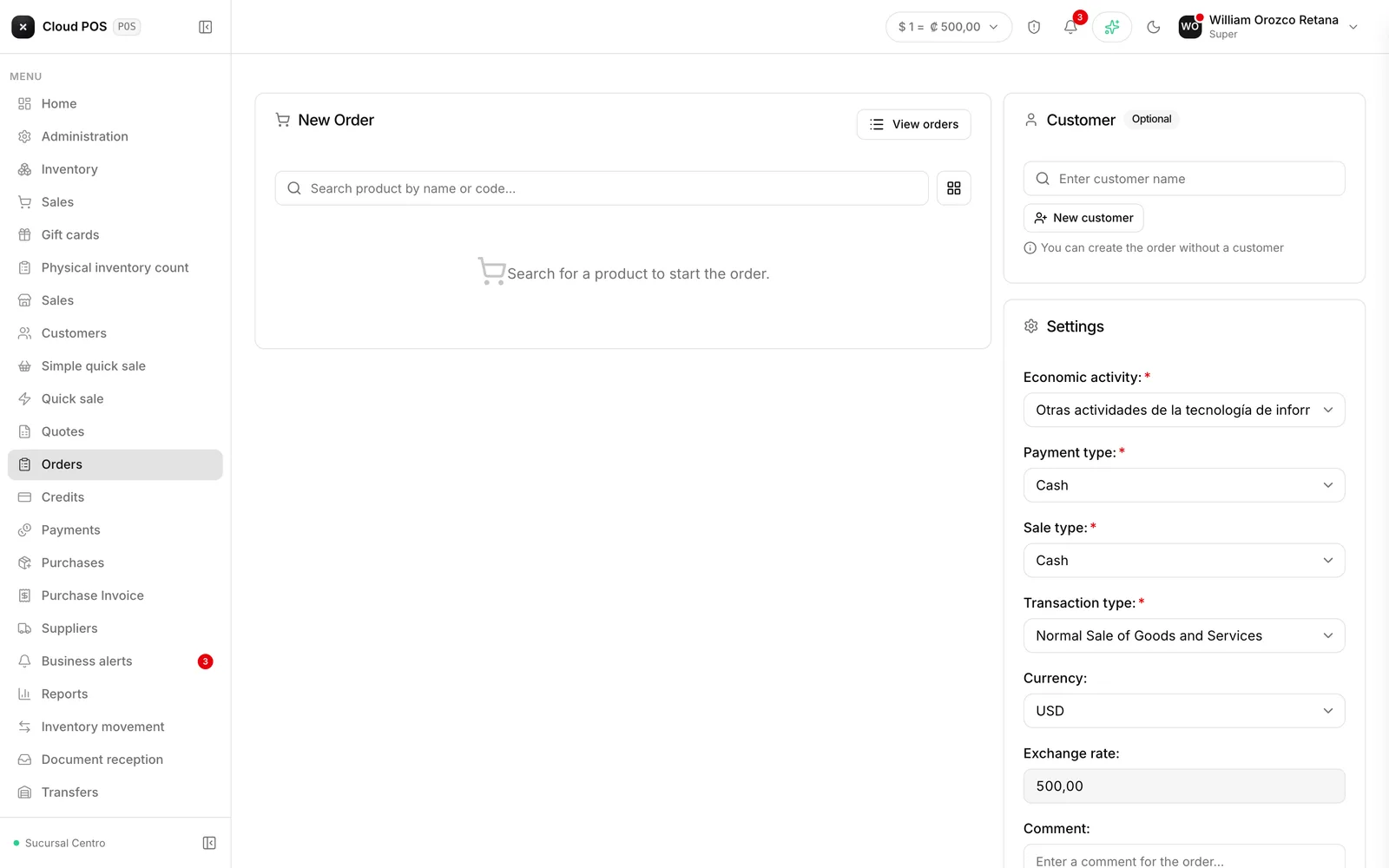
Putting it together
Choose the customer
Add the products
Search by name or code and adjust the quantities.
Add a comment, if needed
Delivery date, terms, anything the customer should know.
Generate the order
If you applied a manual discount to any line, the system requires you to choose a discount type before it lets you generate — it’s the justification declared to the tax authority once the order becomes an invoice. Once generated, it gets saved and the document opens for you to review and print. The “Send to customer by email” checkbox —in Configuration— comes unchecked: if you want the order to reach the customer, check it before generating. Otherwise the order is only saved, and you can send it later with Resend from the order list.
Things worth knowing
What was agreed on the order stands. Each line’s price and discount are locked into the order and travel unchanged to the invoice, even if the catalog or the customer’s rate changed in the meantime — it’s an agreement with the customer, not a number that gets recalculated. The only thing that can change at invoicing time is the product’s tax or other charges, if their setup changed since the order was put together.
The order doesn’t reserve inventory. Being approved doesn’t set the goods aside: if another customer takes the last of it, the order is left without stock.
It doesn’t issue a fiscal document. That happens when it’s invoiced.