New quote
Menu › Quotes › New Proforma
What it’s for
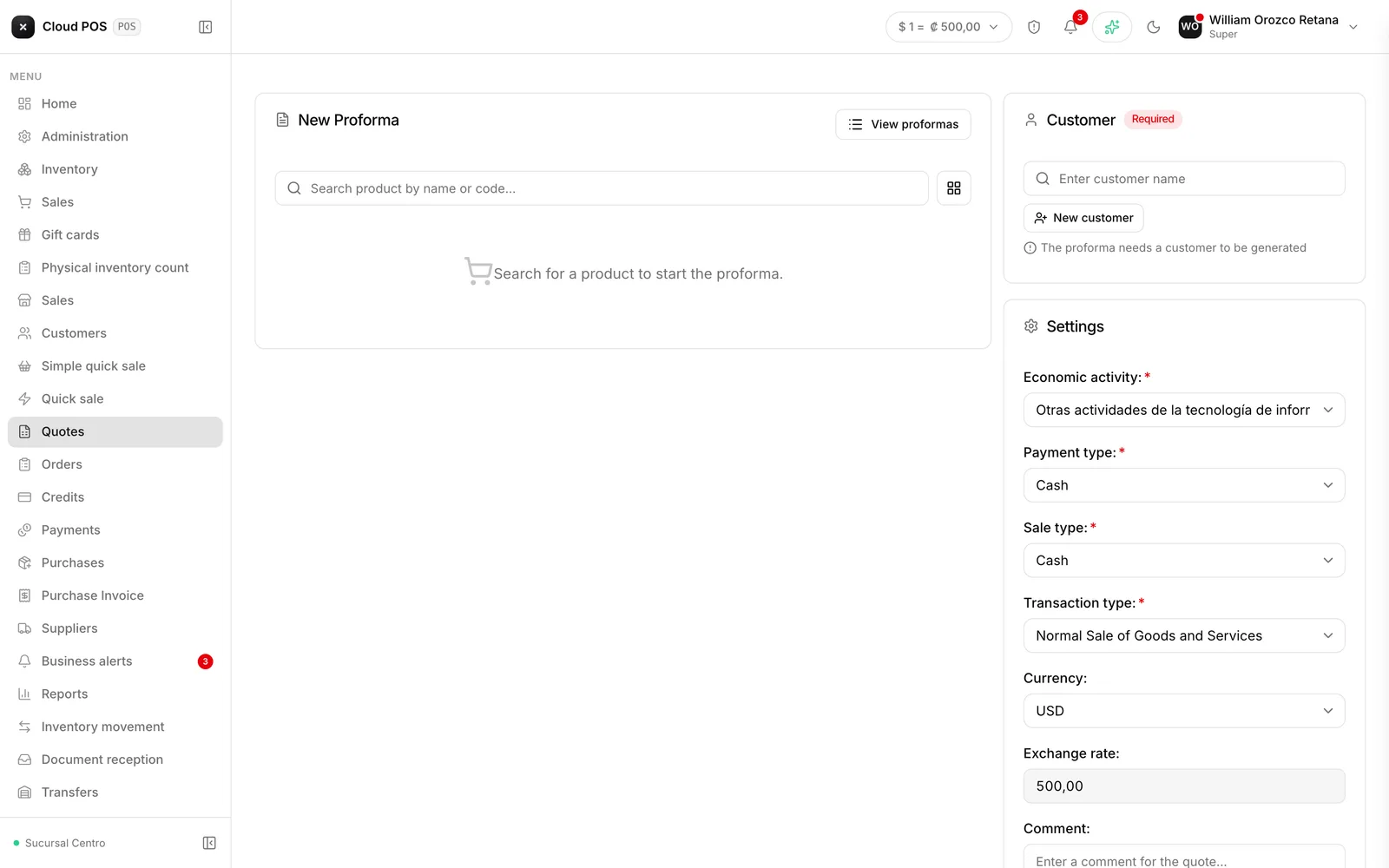
Puts the quote together: customer, products, quantities, and prices. Once generated, you get a presentable document to send.
Putting it together
Choose the customer
It’s required. Without a customer, the system won’t let you generate the quote.
Add the products
With their quantities and, if it applies, discounts. If a line’s discount is manual, the system requires you to choose a type before it lets you generate the quote — it’s the justification declared to the tax authority once it becomes an invoice.
Generate the quote
The document opens for you to review and print. The “Send to customer by email” checkbox —in Configuration— comes unchecked: if you want the quote to reach the customer, check it before generating. Otherwise the quote is only saved, and you can send it later with Resend by email from the quote list.
Things worth knowing
A quote doesn’t deduct inventory or set goods aside. It’s only a price on paper.
It’s worth including the validity period in the comment. The system doesn’t expire quotes on its own, so if prices move, writing it down avoids disagreements.
When the customer accepts, don’t re-enter it: from the quote list, use Convert to Invoice — it only asks you to pick the economic activity and invoices right away, with no need to repeat the customer or the products.