Purchase invoices
Menu › Purchase Invoice
What it’s for
Some suppliers can’t issue an electronic invoice: a farmer, a small shop, someone not registered. To back up that purchase, the business issues the receipt on their behalf. That’s a purchase invoice.
It’s not the same as a purchase. A purchase moves inventory; a purchase invoice is the tax paperwork. They’re different screens, used at different times.
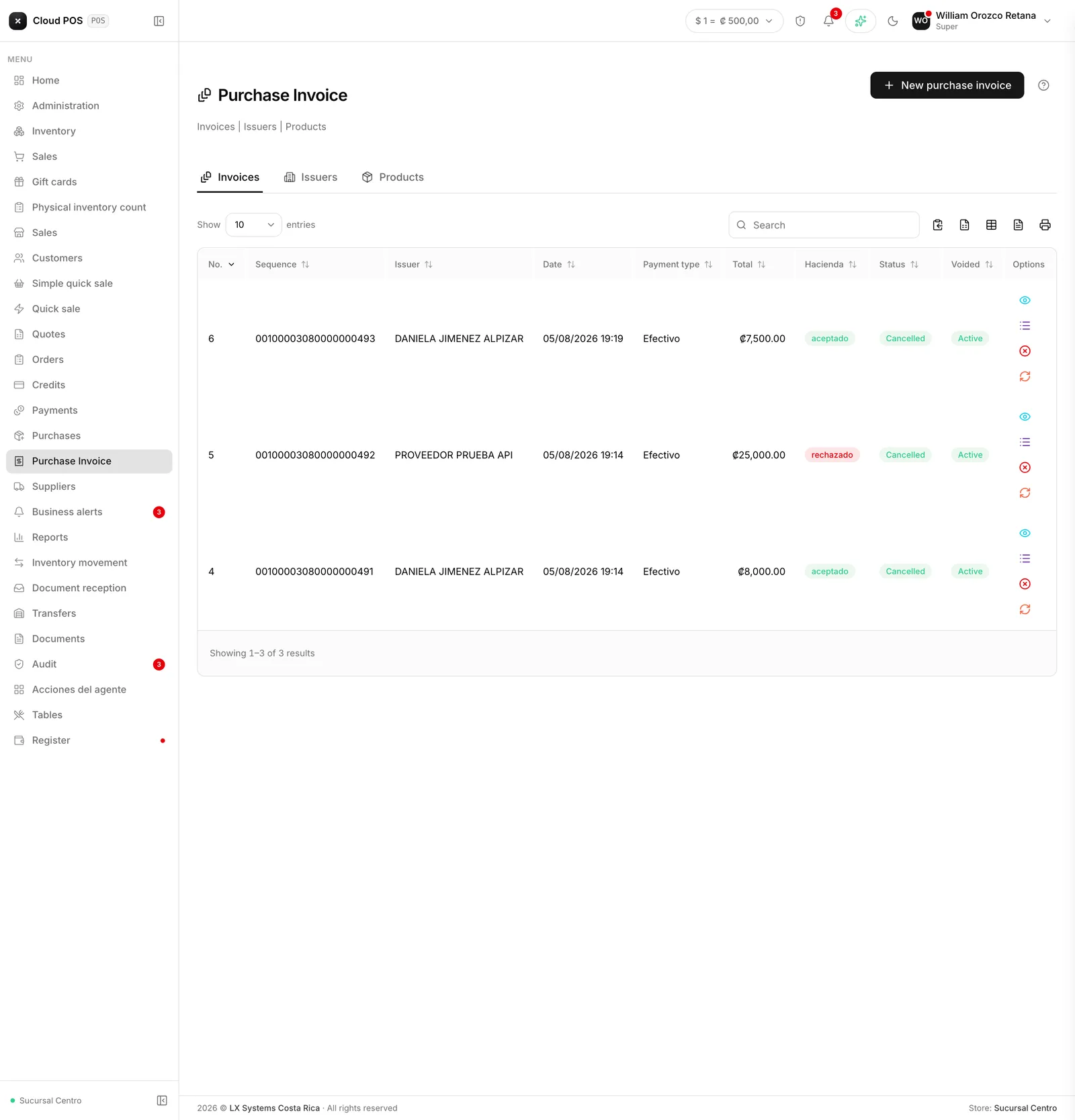
The three tabs
Invoices — the ones you’ve already issued, with their status at Hacienda.
Issuers — the suppliers you issue on behalf of. They’re registered here with their ID, and can be deactivated without losing their history.
Products — this screen’s own catalog. These are products with their tax code, separate from the inventory you sell.
Actions on an issued invoice
View opens the receipt. View lines shows the detail.
Void undoes the invoice and can’t be reversed; the system warns you.
Resend doesn’t retry the same one: it creates a new invoice with the same data and a new consecutive number, and that’s the one that gets sent. Worth keeping in mind before clicking it, because you end up with two documents.
Worth knowing
These invoices carry zero tax. That’s the nature of the document: you’re backing up a purchase from someone who doesn’t charge tax. The breakdown still shows, at zero, to keep the receipt’s shape.
The issuer isn’t your supplier from the Purchases module. They’re separate catalogs: here you register whoever sold to you, even if they’re not on your supplier list.