Modifiers
Menu › Inventory › Modifiers
What it’s for
These are the options you offer a customer when they order: choosing a sauce, adding extras, leaving out an ingredient. They replace “just write it in the notes,” which gets lost and doesn’t charge anything.
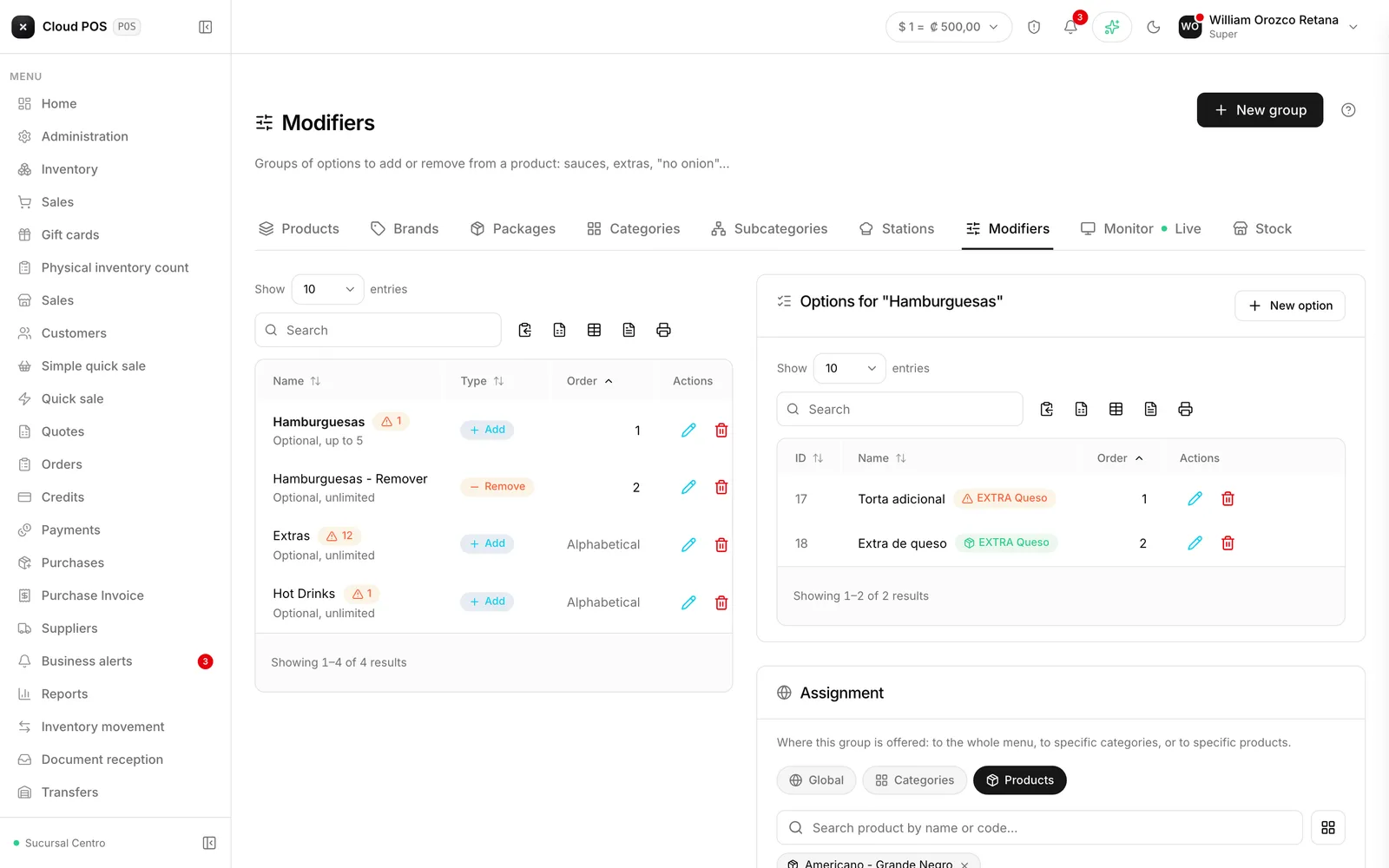
Groups and options
A group brings together related options: “Sauces,” “Extras,” “No ingredients.” Each group has a type, and that’s where the important difference is:
Add — can charge. If the option is linked to a product with a price, that price gets added to the sale. “Extra cheese” charges for the cheese.
Remove — never charges. It’s a note for whoever’s preparing the order. “No onion” doesn’t change the total.
Setting up a group
Create the group
Name, type, and how many options can be chosen — minimum and maximum.
Add the options
If the group is an Add type and the option charges, link it to the matching product.
Decide where it's offered
Across the whole menu, on specific categories, or on specific products.
Minimum and maximum
Both at zero means optional, with no limit. A minimum above zero makes the group required: the cashier can’t close out the product without choosing.
It’s for things that can’t be left blank — how the meat is cooked, the type of milk.
Things worth knowing
An inactive group stops being offered at the register, but it isn’t deleted and doesn’t affect sales already made.
Deleting a group in use warns you how many assignments will be lost before you confirm.
What the customer chooses reaches the kitchen. The options show up on the kitchen ticket as part of the product.