Kitchen monitor
Menu › Tables › Kitchen Monitor
What it’s for
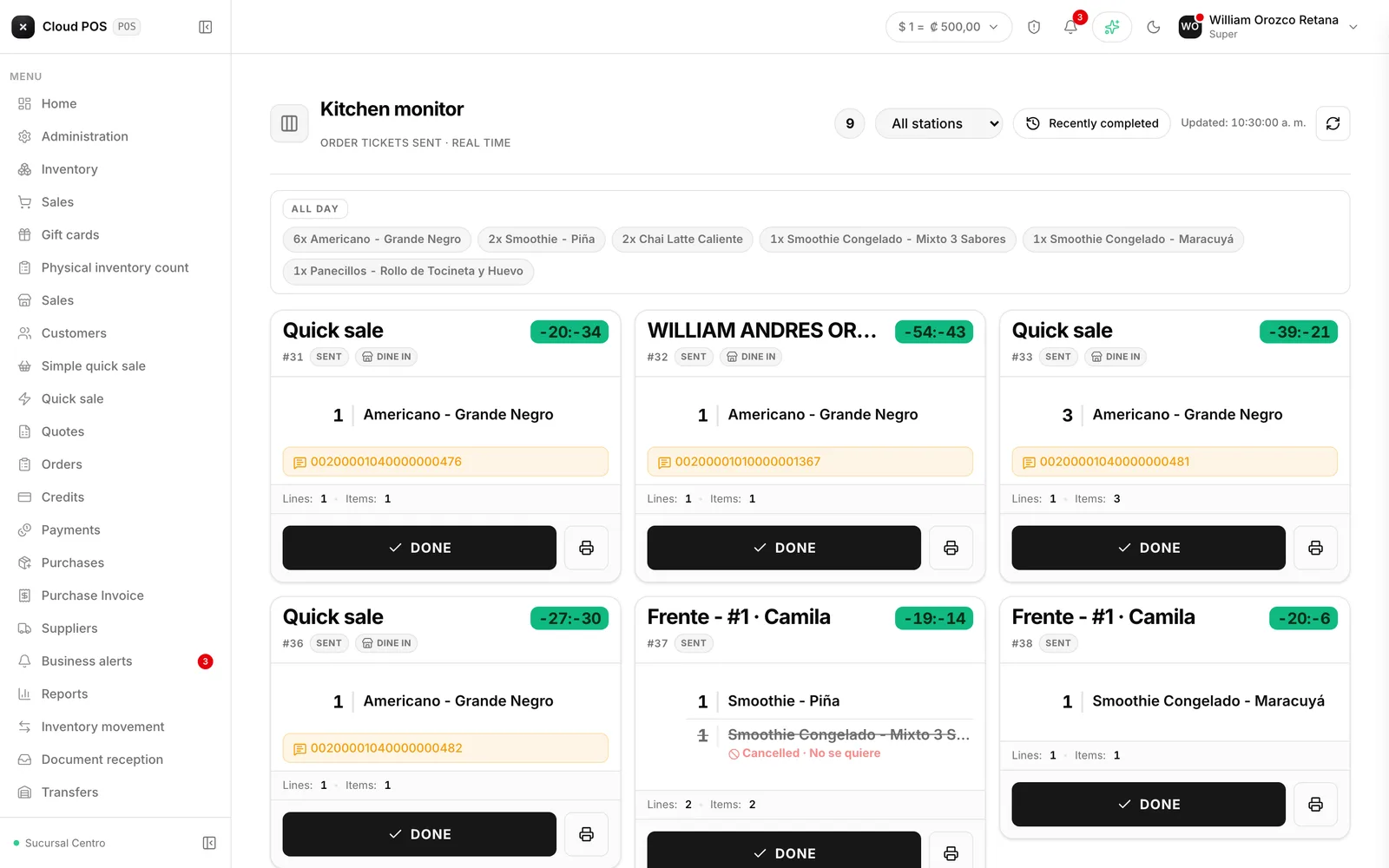
This is the screen that stays on in the kitchen or the bar. It replaces paper: it shows the orders sent in, oldest first, each with its own timer.
How it works
The order arrives
It shows up on screen and a tone sounds. The timer starts running.
It gets prepared
The ticket shows the product, quantity, ingredients, the waiter’s notes, and the course.
READY gets tapped
The order drops off the wall and the table shows the bell.
The “All Day” bar
It adds up how many units of each product are pending in total, across every order on the screen. It’s for preparing by batch instead of dish by dish: if there are six orders of the same dish, it helps to know that before you start.
Allergies
When a line has an allergy warning, it shows up marked in red, with the note if there is one. It’s the most visible item on the ticket on purpose.
If you marked something ready by mistake
Recently ready opens today’s closed orders, each with a Reopen button that puts it back on the wall. You can also reprint the ticket from there.
Stations
If the business prepares in more than one place, the selector lets this screen show only what’s theirs: the bar’s screen sees drinks, the kitchen’s screen sees food. The choice is saved per screen, not per user, which is correct when each monitor sits in a physically different spot.
With only one station, the selector doesn’t even show up.
Things worth knowing
It updates on its own in real time, and if that connection drops, it keeps checking every 15 seconds on its own. If you see “Reconnecting…,” you don’t need to do anything: it recovers on its own.
Marking ready shows up right away, before it’s confirmed. If something fails, the order shows up again.
“Kitchen caught up” means there’s nothing pending. It’s the screen you want to see at the end of your shift.