Cycle count
Menu › Physical Count › Cycle count
What it’s for
It’s a different way of deciding what to count: instead of stopping operations one day a year to count the entire catalog at once, a little gets counted every day, and the system itself says what’s due first.
How it decides what to count first
Every product is classified as A, B, or C by its valued turnover — how much it sold multiplied by what it costs, not just how many units — and that class sets how often it’s due:
| Class | What it covers | Counted |
|---|---|---|
| A | 80% of the value sold | Every month |
| B | From 80% to 95% of the value sold | Every quarter |
| C | The remaining 5% | Once a year |
A product with no sales falls into class C: there’s no turnover to value, so it doesn’t deserve the same frequency as what’s actually moving.
It’s sorted by value rather than units on purpose: a thousand units of a cheap product can move less money than ten of an expensive one, and losing that expensive product hurts a lot more than losing units of the cheap one.
Using the cycle count
Review coverage by class
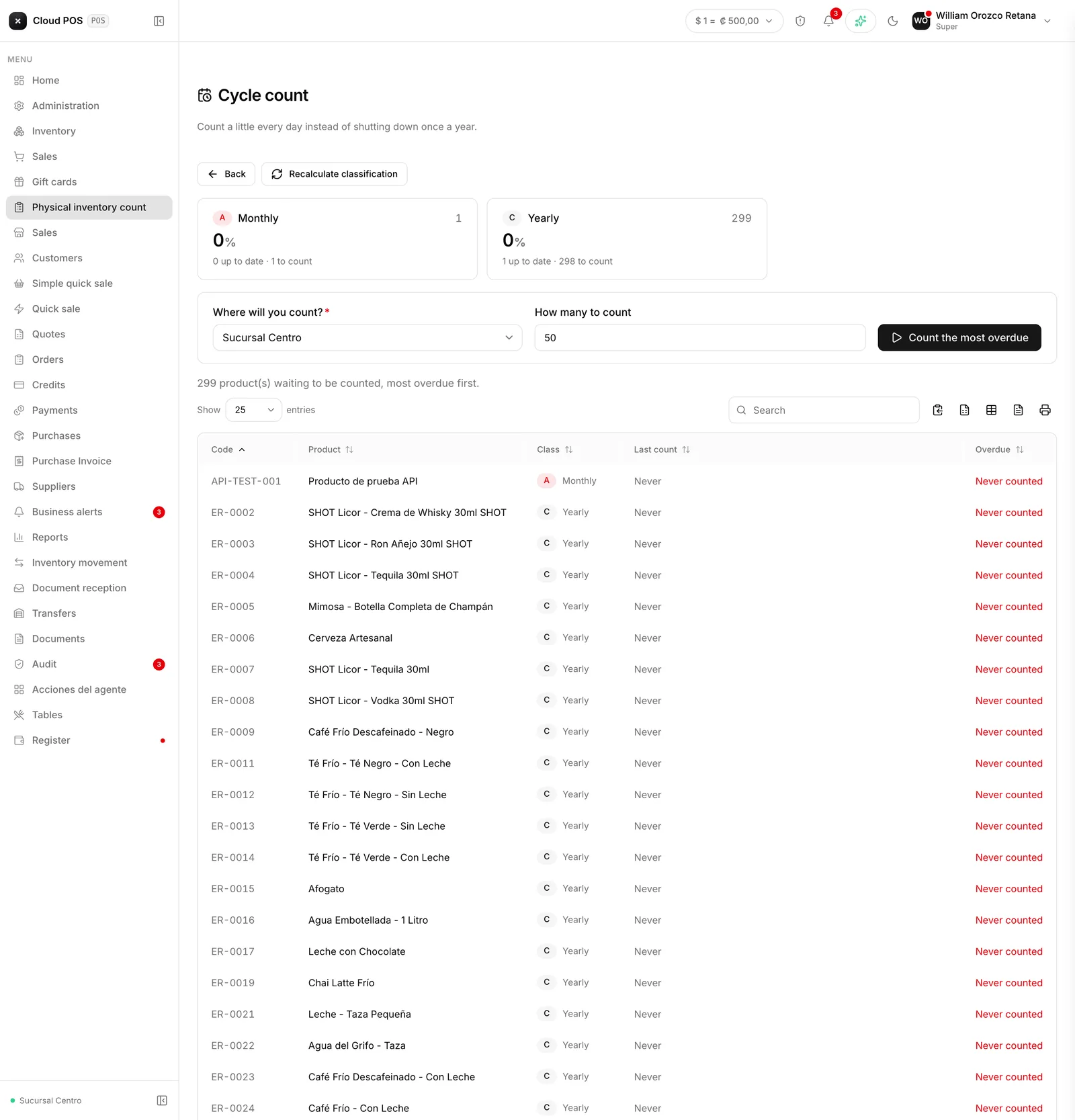
Each card shows what percentage of that class is up to date and how much is pending, split between overdue and never counted.
Recalculate the classification if needed
With the Recalculate classification button. It looks at recent turnover again and reassigns each product to its class. It doesn’t touch inventory or any count that’s currently open.
Choose where you'll count
A point of sale or a warehouse.
Decide how many products to count
The maximum number of products the count about to be opened will include.
Press Count the most overdue
Opens a count with the most overdue products for that location, up to the maximum set, and sends it straight to the count sheet.
The backlog table lists, product by product, its class, when it was last counted, and how overdue it is — with the most overdue first.
Things worth knowing
A count opened from here behaves like any other. It has its own count sheet, its own variances, its own closing, and its own report — the only thing different is how its scope was put together.
It’s always blind. There’s no option to turn that off in this flow.
“Never counted” and “overdue” are different things, even though both count as pending: an overdue product has been counted before and is due again; a never-counted one has no record yet at all.
If there’s nothing pending, the cycle is up to date, and the Count the most overdue button stays disabled — that’s not an error, it just means there is nothing left to count yet.