Variances and closing
Menu › Physical Count › View variances
What it’s for
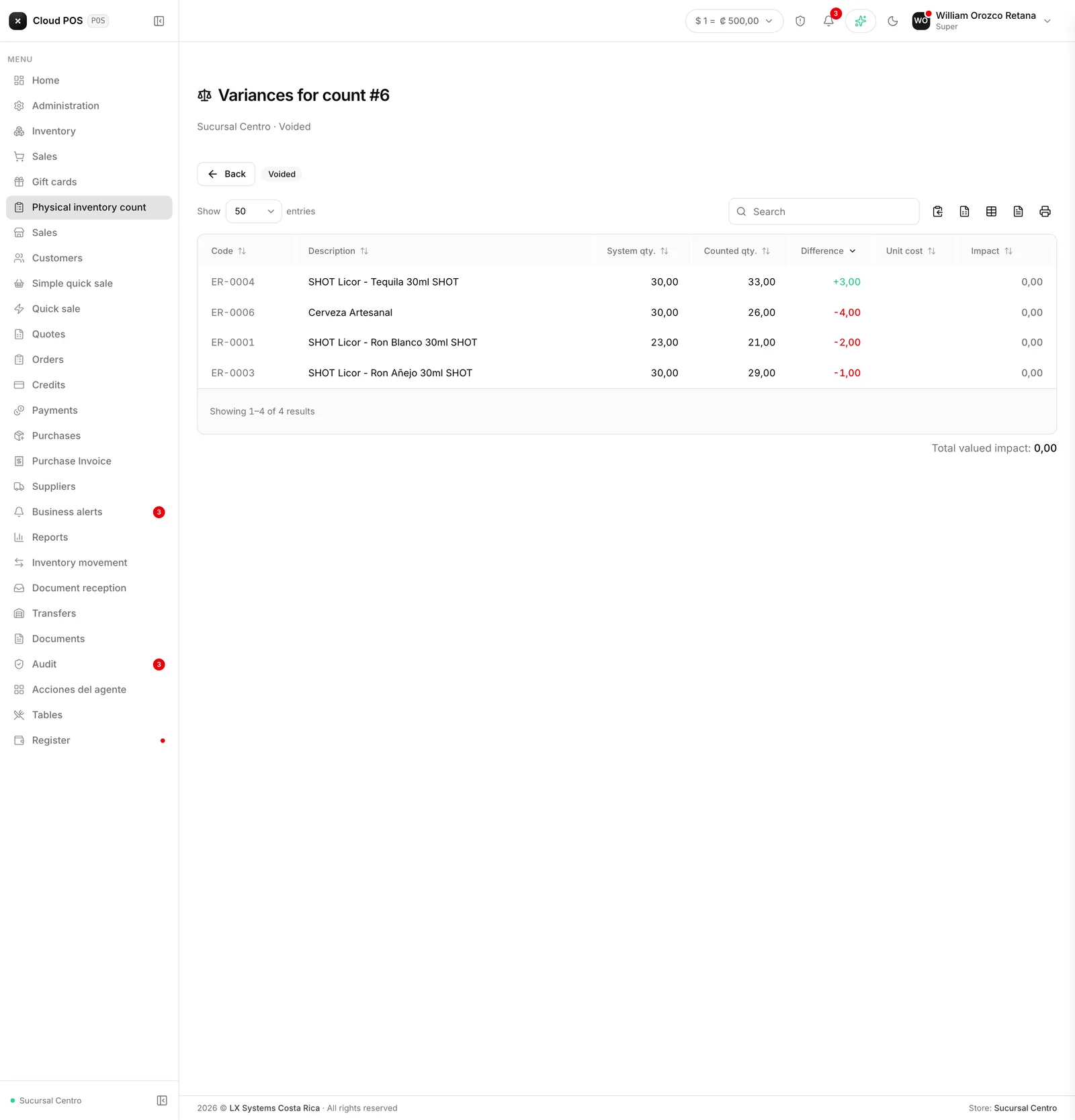
This is the screen where you look before inventory actually moves. It shows, product by product, the system quantity (frozen when the count was opened), what was counted, the variance, and how much that variance is worth at the product’s cost. From here, a recount can be requested for lines that need it, and the count can be closed, applying the adjustment.
Reviewing and closing
Review the variances
They come sorted by impact: the most valuable one first. Two units of a cheap product and two of an expensive one aren’t the same problem, which is why value matters, not just quantity.
Flag whatever doesn't add up for a recount
With the Recount checkbox, on any line worth checking again.
Press Send to recount
Those lines go back to the count sheet for a second pass. The rest of the count isn’t touched.
Once you're satisfied, press Close and adjust
The system generates whatever overage or shortage movements are needed. Products with no variance don’t generate a movement.
A recount doesn’t erase anything
Sending a line to recount gives it a second pass, but it doesn’t delete the first capture. Both rounds stay saved, which is exactly what makes comparing possible: if the second count matches the first, it confirms the shortage or overage; if it doesn’t match, someone miscounted on one of the two passes and it’s worth a closer look. A line that already had a recount is marked with 2 rounds or more in the table.
“Moved while counting”
If someone sold, received, or transferred stock of a product while the count was still open, that line gets flagged as moved during the window. The adjustment that’s about to be applied is still correct — it’s calculated against the stock frozen when the count opened, not against right now — but the physical count of that product was taken against a reality that had already changed, and it’s worth keeping in mind before signing off on the number.
What happens to other sheets sharing the location
If another open count at the same location has, in its scope, any of the products this closing just adjusted, its frozen system quantity gets updated to reflect the adjustment. That’s what keeps two different sheets from applying the same variance twice: without that update, the other sheet would calculate its own adjustment against a number that had gone stale, and the result wouldn’t be a visible error — it would be two well-formed inventory movements, each with its own user and reason, that nobody looks at twice. The inventory would end up wrong without anything raising a flag.
This same closing releases the lock on the products it adjusted: if they were still in another open sheet’s scope, they become available to count there again, now with their system quantity up to date.
The closing dialog says how many lines are claimed by another sheet. Those are products in this count’s scope that another open count at the same location already counted — this sheet isn’t the one to adjust them, so they don’t count as pending capture and don’t require a recount.
Over tolerance
If a tolerance per line was set when the count was opened, any product whose variance exceeds it gets flagged Over tolerance, and closing won’t go through until that line is sent to a recount — the screen says how many are still pending.
The permission to close
Closing a count depends on its own permission, separate from the one for counting (Edit inventory). It’s called Close physical count and gets turned on from Administration › Roles. The idea is that whoever counted isn’t necessarily the same person who authorizes the adjustment: someone who can only count can review variances and request recounts, but needs someone with the closing permission to give the final go-ahead. It’s on by default.
The physical count report
Once the count is closed, the list of counts offers Physical count report (PDF), a document with the business’s header, the count number, the location, when it was opened and closed and by whom, whether it was blind, the scope counted, the full variance table, and three signature lines: Counted by, Adjustment authorized by, and Date. It’s the record that’s left of the count, for filing or for showing anyone who later asks why a stock level changed.
Things worth knowing
If the count found no variances at all, no movement is generated. The closing is still recorded, just without an adjustment to apply.
Adjustments end up as regular inventory movements, with the reason Physical count - Overage (an entry) or Physical count - Shortage (an exit) — they can be looked up afterward, under that reason, like any other movement.
Once closed, a count can no longer be touched. Neither the counted quantities nor the applied adjustment can be edited from here — all that’s left is viewing it and downloading its report.