Get a new warehouse or store fully stocked in one click
Version of Friday, August 14, 2026When a new warehouse or store opens, the whole catalog should be available there from day one. Two improvements to Stock by warehouse aim at exactly that.
You can now see everything that’s missing
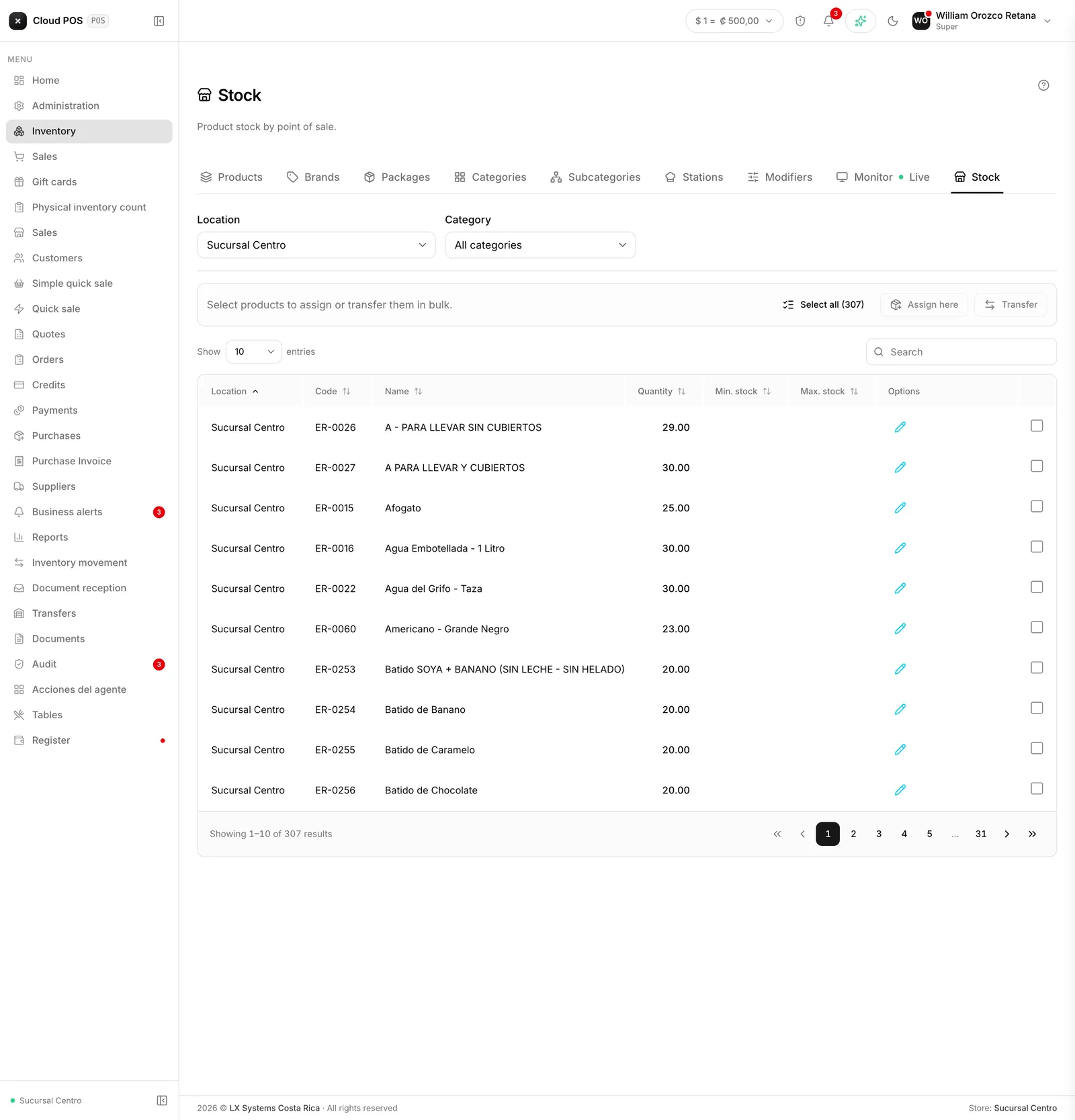
Before, if a product had never been registered at a location, it simply didn’t show up in the list — there was no way to know it was missing without checking products one by one. Now, picking a specific warehouse or store in the filter shows the whole active catalog, including products still sitting at zero there.
Assign or transfer several products at once
With the full list in view, check the products you need and use the action bar that appears above the table:
- Assign here registers the checked products at that location right away, at zero. Great for getting a new warehouse or store ready to operate without registering each product by hand.
- Transfer sends the checked products — the ones that do have stock — straight to New Transfer, already loaded, so all that’s left is confirming quantities and destination.