Audit trail: who did what and when
Version of Saturday, August 22, 2026Until now, when a voided invoice showed up that nobody remembered voiding, or a price that changed overnight, there was nowhere to go and see what had happened. As of this version, there is.
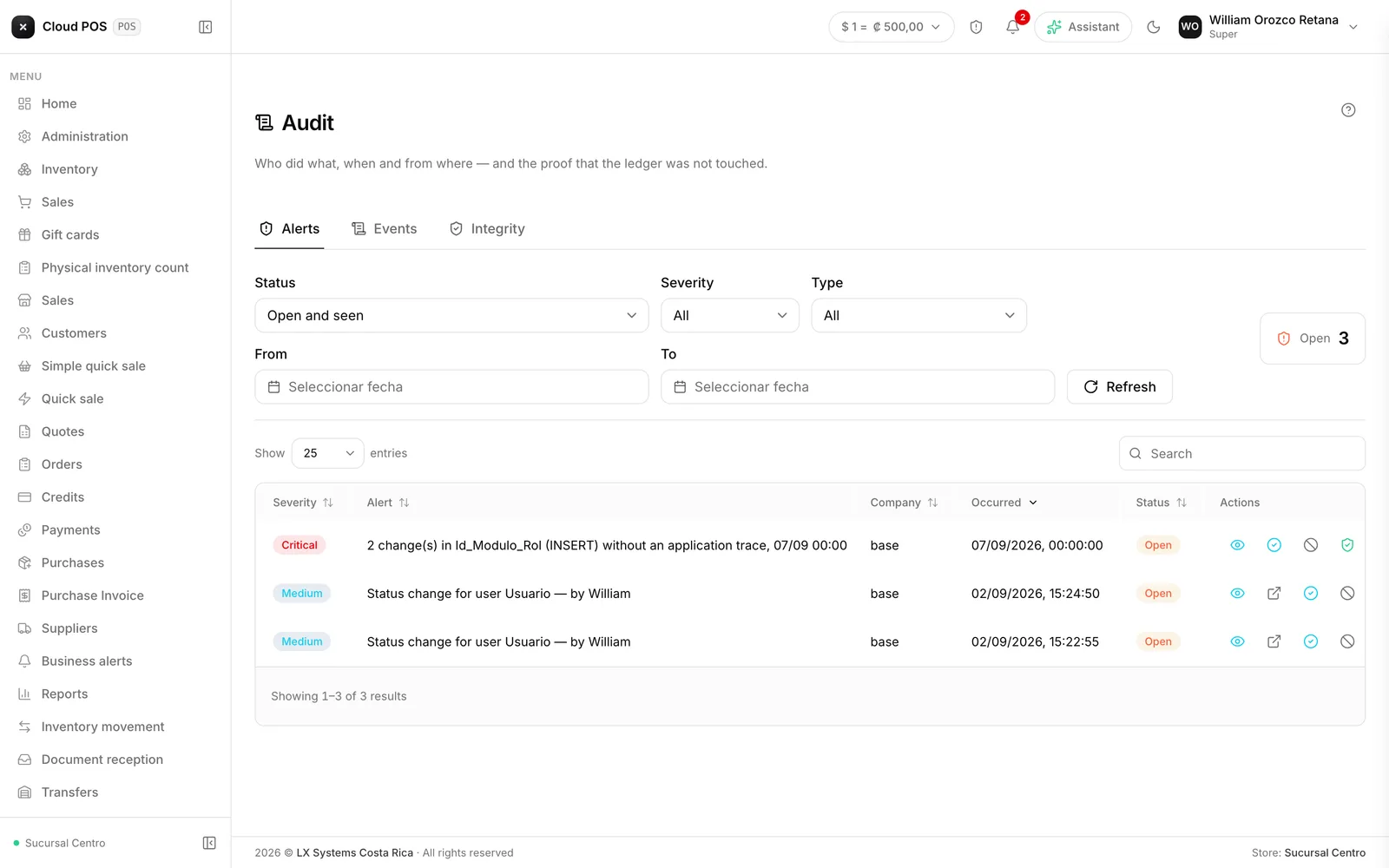
The system records on its own, always
Every sale, every void, every price change, every register opening and closing, every login, and every export to Excel is recorded with who did it, when, from where, and how it ended: whether it went through, whether it failed, or whether the system denied it for a missing permission.
There’s nothing to turn on or configure. It records always, for every user, from the phone and the tablet too.
Three questions that had no answer before
Who touched this document? You search by date range and narrow it down by user, by type of record, or by typing the document number. The full history comes up in order: who issued it, who reprinted it, who voided it. And on the records that keep a change history — customers, users, roles, payment methods, registers, documents — the history shows the before and after, field by field: “Credit limit: 250,000 → 500,000”, with a name and a time.
What exactly happened in that operation? Charging a sale issues the document, deducts inventory, records the payment, and sends the receipt. All of it stays tied together: from any of those lines you can open the whole chain, in order. It’s how you answer “why did this product’s stock drop yesterday at 3?” without piecing the puzzle together by hand.
How do I know the record can be trusted? A record that can be edited proves nothing. So the system seals every hour of activity, and a separate tab verifies those seals and tells you, hour by hour, whether it’s intact. If it all comes back OK, that’s what you show an auditor or an accountant; if something doesn’t add up, the screen highlights the first altered hour, which is what marks when it happened.
Good to know
- The record can’t be edited or deleted, not by the administrator and not by us. Entries can only be added. A correction comes in as one more line.
- Passwords and PINs are never stored there. It notes that a secret changed and who changed it — never the value.
- Taking information out is recorded too: exporting to Excel, copying a table, printing it. Whoever audits is audited just like everyone else.
- Filtering by “Denied” shows what someone tried and couldn’t do. It catches anyone insisting where they shouldn’t, and it also reveals when an employee is missing a permission they actually need.
- Critical entries are kept five years — money, documents, logins, and permissions — day-to-day operations one year, and screen-to-screen movement three months.
Who can see it
The audit trail (Audit in the menu) is a new section, visible only to the roles you enable it for, from Administration › Roles — and on top of that, the role has to be an administration one. Treat it as a permission of trust: whoever gets in there sees the movement of the whole business, including what every other employee does.
The record started filling up with this version. Anything before it isn’t there and can’t be reconstructed; from here on, it is.