The register belongs to the store, not to each person — and now it comes signed
Version of Saturday, September 5, 2026Several changes pointing at the same idea: the register belongs to the point of sale, not to whoever opened it, and closing it now leaves proof that can actually be trusted.
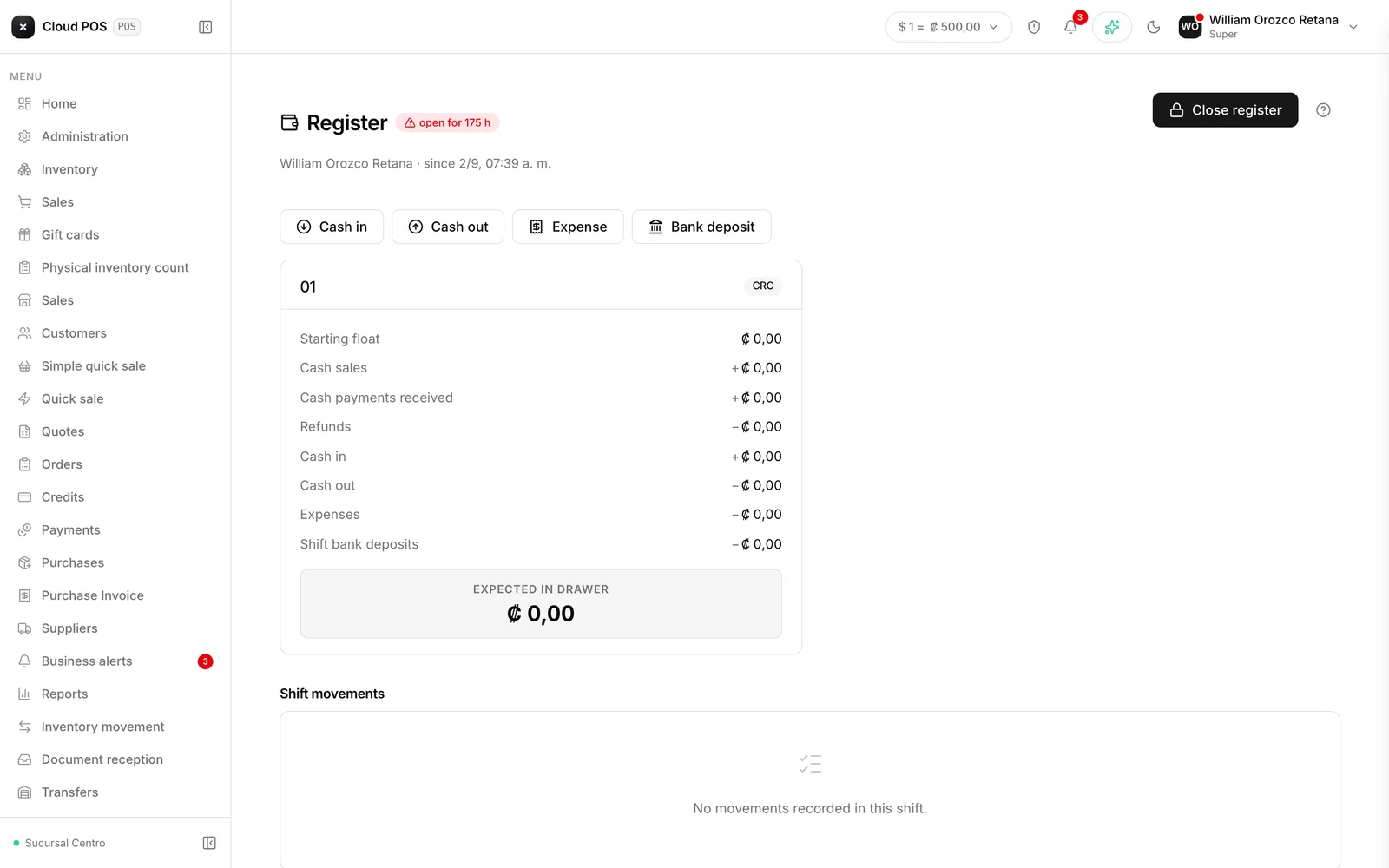
One drawer per point of sale, not one per cashier
There’s now a single register per point of sale. Whoever arrives first for the shift opens it, and from then on it collects the sales of everyone who rings things up at that point of sale, no matter how many people take turns at the register during the day. Before, each person opened their own register, which meant closing and reopening one every time the cashier changed.
Purchases and supplier payments now come out of that same drawer
When recording a cash purchase, a purchase invoice, or a payment to a supplier, the system now asks which register the money comes out of and logs the expense right there — no need to go to a separate screen to leave a record of the outflow.
Closing can now ask for a PIN and a finger signature
Closing the register can now be configured to ask for two things, depending on what the business needs:
- Confirm with the cashier’s PIN, so it’s clear who closed it.
- Sign with a finger, right on the phone or tablet screen, the same way you’d sign for a delivery. The signature is filed together with that shift’s count.
The closing receipt also carries a verifiable timestamp: a seal that certifies the exact moment it was closed, so that afterward nobody — not even from inside the system itself — can change that date and time without it showing. For a business that wants proof of who counted the drawer and when, this is the evidence that the closing wasn’t touched afterward.
Reprinting the receipt of an already-closed count
If the closing receipt got lost, or another copy is simply needed, there’s no need to recreate the closing by hand anymore: the receipt of any closed count can be reprinted directly from the closing history.
Interested in turning on the PIN or the signature when closing the register? It’s a setting that gets turned on per business. Write to us and we’ll turn it on for you.