Point-of-sale printers
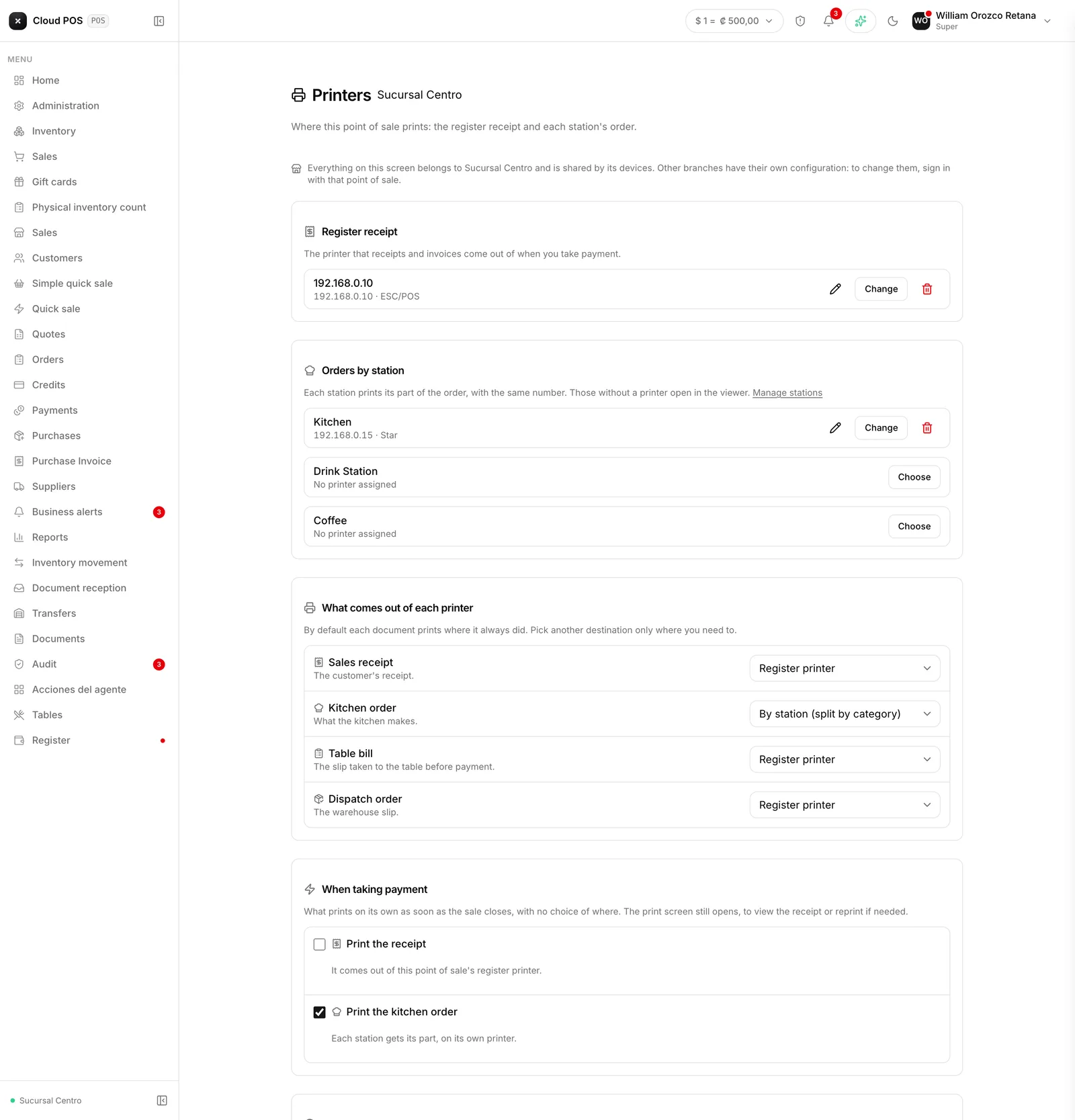
Version of Saturday, September 5, 2026Setting up printers stopped being something you guess every morning. There’s now a screen of its own to settle it once, and from then on every device that connects to that point of sale already knows where each thing should print.
The iPad searches the network for printers on its own
From Settings → Printers, the system detects the printers connected to the local network and shows the make and model of each one — no more asking someone for a photo of the label to figure out which printer is which.
Each document goes to the printer it belongs on
Document by document, you define which printer each one comes out on: the kitchen ticket on the kitchen printer, the sales receipt on the register’s printer, and so on for the rest. That setup is saved as part of the point of sale, not the device — so any tablet or computer that connects there prints the same way, without repeating the setup on every device.
The paper can come out on its own at checkout
You can turn on automatic printing of the receipt, or the kitchen ticket, right at the moment of checkout, without having to tap a separate button. It’s a setting of its own for each point of sale: one location can have it on and another off, depending on how it works.
The button warns you before printing, not after
When you go to charge a check, a small note right under the button says which printer the paper is about to come out on, before you tap it — so you know ahead of time whether it’s about to print on the right one, instead of finding out only after it already came out on the wrong one.
Do you have several network printers at your location and want them set up this way? Write to us and we’ll help you get them assigned the first time.