Sign in without typing your password — passkeys are here
Version of Friday, September 18, 2026As of today, you can sign in to the system without typing your password, with Face ID, Touch ID, or your device’s security key. It’s a passkey, and you register it yourself, without asking an administrator for anything.
How to register one
Tap your own name, top right, and open “My passkeys” — it’s right next to “Change Password”, in the same menu. From there, add the passkey for that device. Anyone can do this, no matter their role: you don’t need to be an administrator.
Your password keeps working the same
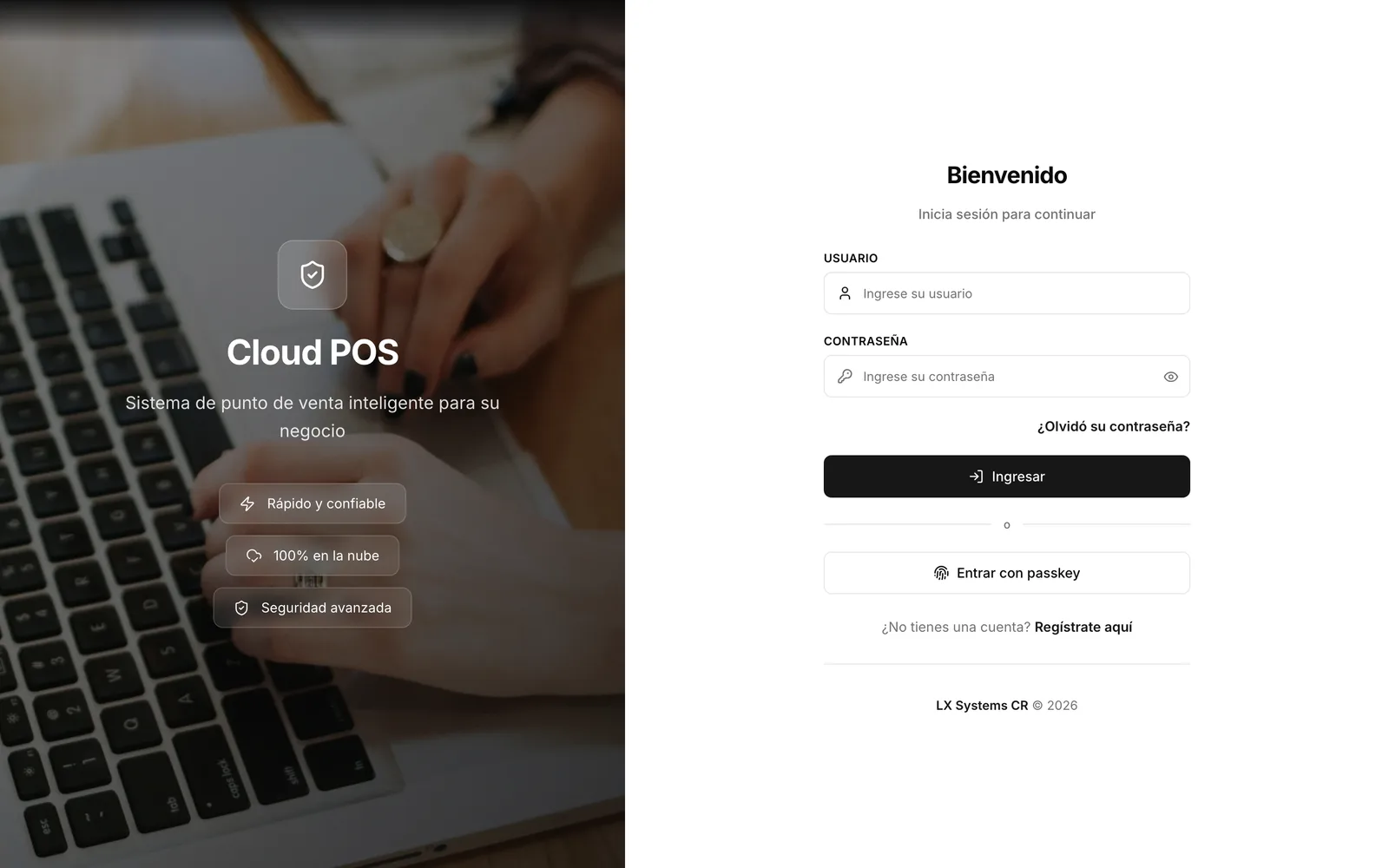
The passkey shows up as an extra button on the sign-in screen, not as a replacement. If you’d rather keep signing in with your username and password as always, you can — nothing changes for you.
Where it works
For now, the passkey works when signing in from the browser. It’s not yet available in the app installed on the phone or tablet.
Several devices, and revoking any of them
You can register a passkey on each device you use — your laptop, your phone — and see them all together in “My passkeys”. Revoking one is immediate: that device stops working to sign in right away, and it doesn’t affect your other passkeys or your password.
How to register and use a passkey →
Would rather stick with your password? No need to do anything: it keeps working exactly the way it always has.