Pricing by customer category and quick sale improvements
Version of Monday, August 17, 2026This entry brings together two fronts aimed at the same place: the system recognizing who it’s selling to, and what it’s selling. Pricing by customer category comes first. Combos that now reach the kitchen, and a recap of quick sale from the last few days, make up the other half.
Every customer category, with its own pricing
A customer category — wholesale, institutional, employee — can now carry its own pricing policy. It has a base discount that covers the whole catalog, and scope rules that override it for a product, a subcategory, a product category, or a brand: the most specific one wins, and if none apply, the base discount stands. There’s also a cost plus margin mode, where the price comes from the product’s cost plus the margin you define. Each rate has a minimum and maximum range the cashier can move it within at checkout, and a switch to respect (or not) the payment method’s discount permission.
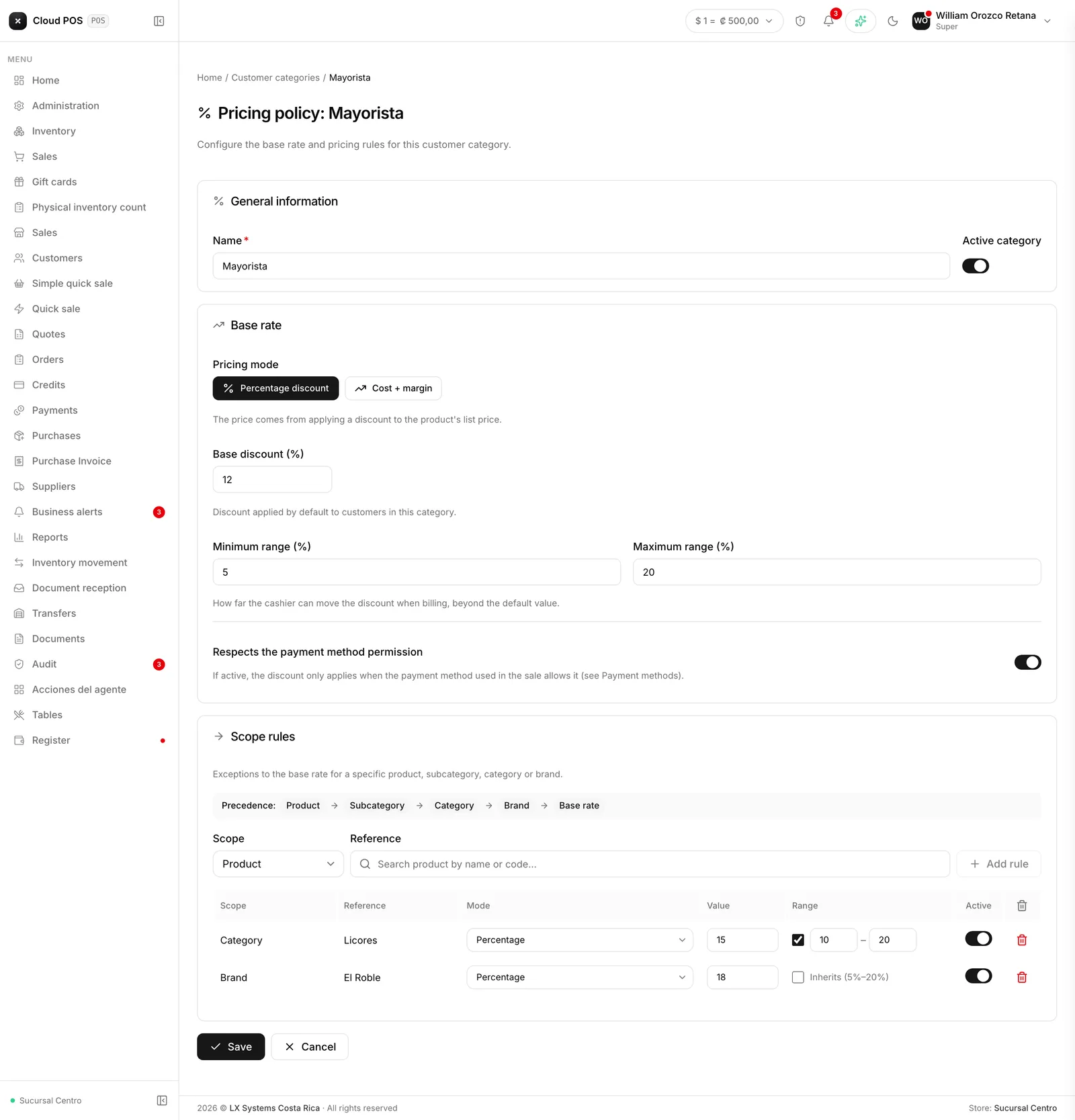
Selecting a customer on a sale shows a badge with their category; tapping it shows the full detail. Lines come in with the discount already applied, in Sales, Quick Sale, Simple Sale, Quotes, and Orders. It’s set up from Customer Categories, now a full screen instead of a pop-up, comfortable from a tablet too.
Combos now reach the kitchen
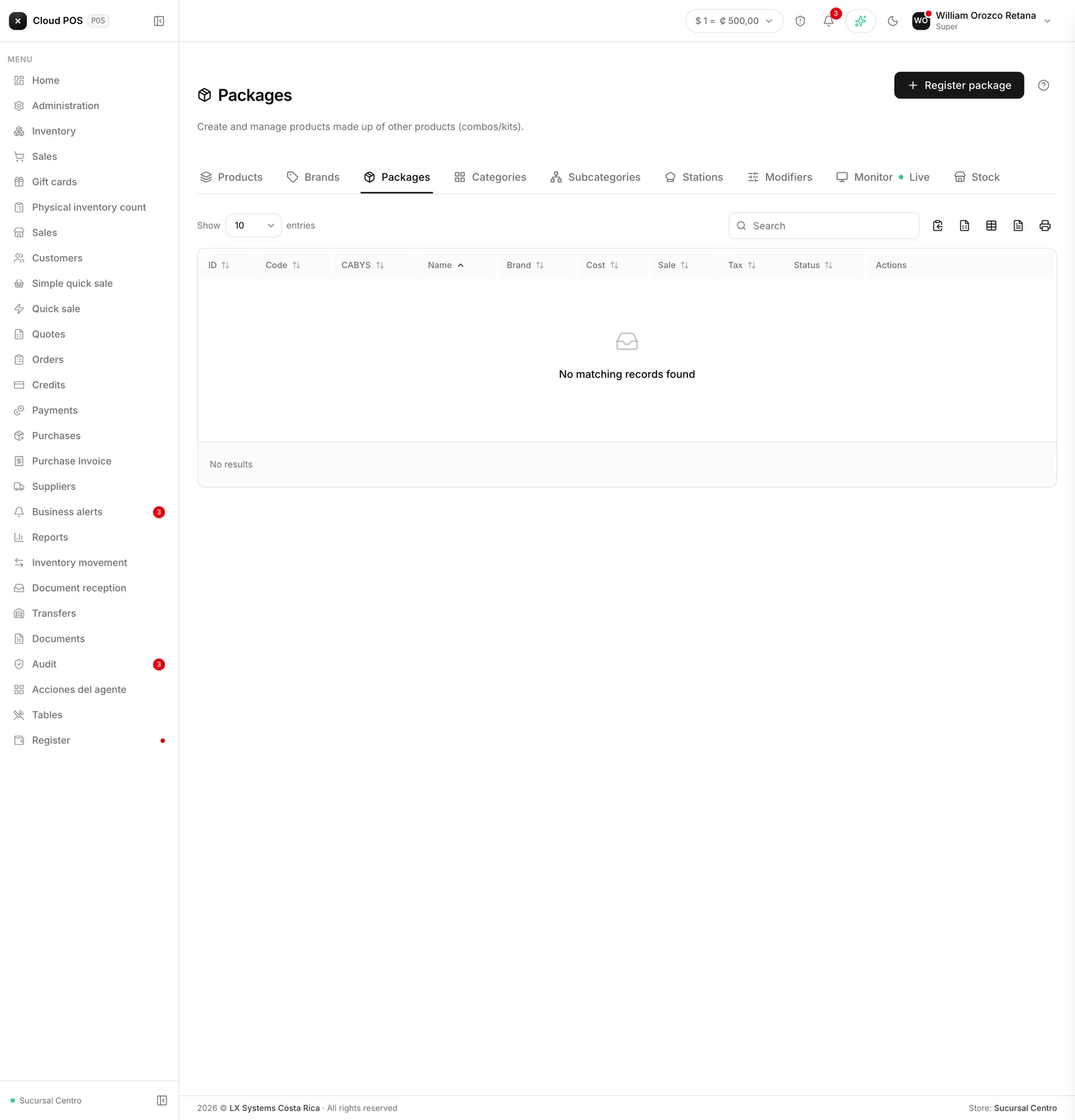
Combos built in Packages have three improvements that hadn’t been announced yet. If any of its components go to the kitchen, the whole combo shows up on the prep monitor, with nothing extra to mark when building it. It can also be sent to a table or charged to its check just like a standalone product. And tapping it, the card and the subtotal show the price with tax already included, right away.
The system in English, now complete
If you work with the system in English, you already noticed that menus and buttons were translated but the lists were still in Spanish: payment methods, sale conditions, transaction types, taxes and their rates, units of measure, credit note reasons, exemption institutions. Half the screen was in one language and half in another.
That’s now settled: all of those lists show in English. It’s over two hundred terms, taken one by one from each business’s real catalog. A few were deliberately left as they were, either because they’re spelled the same in English — scientific units like Ampere or hertz — or because they’re proper names, like SINPE Móvil.
Language is chosen per user, so within the same business each person can work in their own. Electronic documents are still issued in Spanish, as the law requires.
Orders can no longer be edited out of turn
An order follows a path: it’s created, sent to the customer, the customer approves it, and it ends up as an invoice. Until now that path was a guideline, not a rule: an already approved order — or even a voided one — could still be modified, and saving it sent it back to the start of the path.
Now it can only be edited while it’s a draft or sent. After that, the system explains why on screen instead of quietly letting it change. Voiding and approving also check the permission of whoever does it, not just hide the button.
And most important: an order that already generated its invoice is marked as such. Before, it could be loaded into a sale as many times as you wanted, with the risk of invoicing the same thing twice. Now the system recognizes it and prevents it.
Kitchen tickets sent back are marked
A kitchen ticket can’t be edited, and that’s on purpose: what’s already printed in the kitchen can’t be un-printed, so a correction goes out as an additional ticket to the same table. What you can do is send a ticket back to the kitchen when it was marked ready too soon.
That step back now leaves a trace. The prep monitor flags the ticket that came back, and if it came back more than once it says how many times — a ticket that returns three times isn’t an oversight, it’s worth a look. The system also records who sent it back and when.
And when something was ordered by mistake: cancel the item
For the most common case — the customer changed their mind, or something was rung up twice — you no longer have to choose between leaving it or improvising. From the table’s check, every pending item can now be cancelled with a reason.
Three things happen when you do. The item stops being charged: it leaves the table’s total right away. It stays struck through on the check, with its reason, so nobody has to wonder later what happened. And the kitchen gets a cancellation ticket on the same printer the original came out of, with “CANCELACIÓN” and “NO PREPARAR” in large type: the new slip corrects the old one, which is the only honest way to do it. On the prep monitor the item shows struck through immediately, with no waiting.
An item that has already been invoiced cannot be cancelled — that’s corrected with a credit note, as it should be. And since cancelling moves money, only someone with the void permission can do it.
Recap: quick sale these past few days
The last two entries already covered this batch: the Frequent category, “The usual”, reprinting recent sales, tip and discount when checking out a table, held orders picked up from any device, extras grouped by dish, and orders marked dine-in or takeout. If you missed them:
- Combos, favorites and easier table checkout →
- Extras next to their dish, takeout and on-site service →
Don’t see the pricing policy, or the combo isn’t reaching the kitchen? That depends on your business having those catalogs set up. Reach out and we’ll check.