Orders with approval, live tables, and the system in English
Version from Tuesday, June 30, 2026June was the busiest month for improvements in recent months. These are the ones that will really change your day-to-day.
New: the Orders module
Until now, selling to someone meant invoicing right away. Now there’s a step in between: put together the order with a customer, products, and quantities, send it to the customer for review, and it only becomes an invoice once they approve it. It’s useful for quotes, for letting the warehouse prepare ahead of time, or simply for not invoicing something the customer hasn’t confirmed yet.
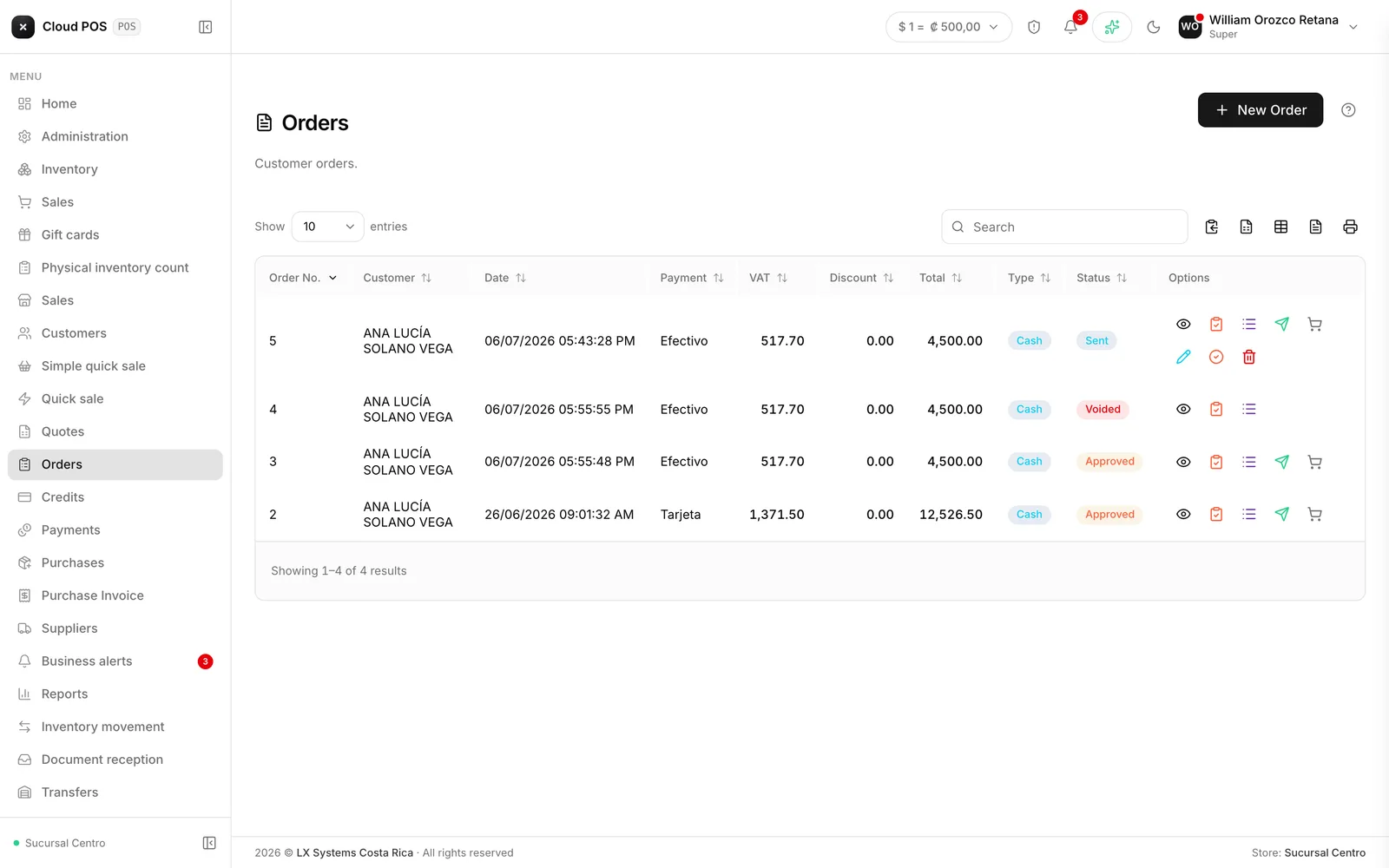
How to put together an order →
Handling a whole table without leaving the screen
In restaurants and cafés, opening a table’s bill, sending the order to the kitchen, collecting payment, and even splitting the bill by person — with a separate invoice for each one — now all happens from the same touch screen. You can also collect the bill in dollars when the business allows it.
How Quick sale (touch) works →
The dining room and the kitchen update on their own
You no longer need to refresh the screen to find out a dish is ready or a new order came in: the dining room and the kitchen monitor update the moment it happens, on every screen that’s open.
And if something about the order changes after it’s sent to the kitchen — something gets added, an ingredient gets removed — you can now fix it without voiding the whole order.
The kitchen monitor, redesigned
The screen left running in the kitchen was redesigned to read at a glance from across the room: pending tickets show up as a dark wall, ordered from oldest to newest.
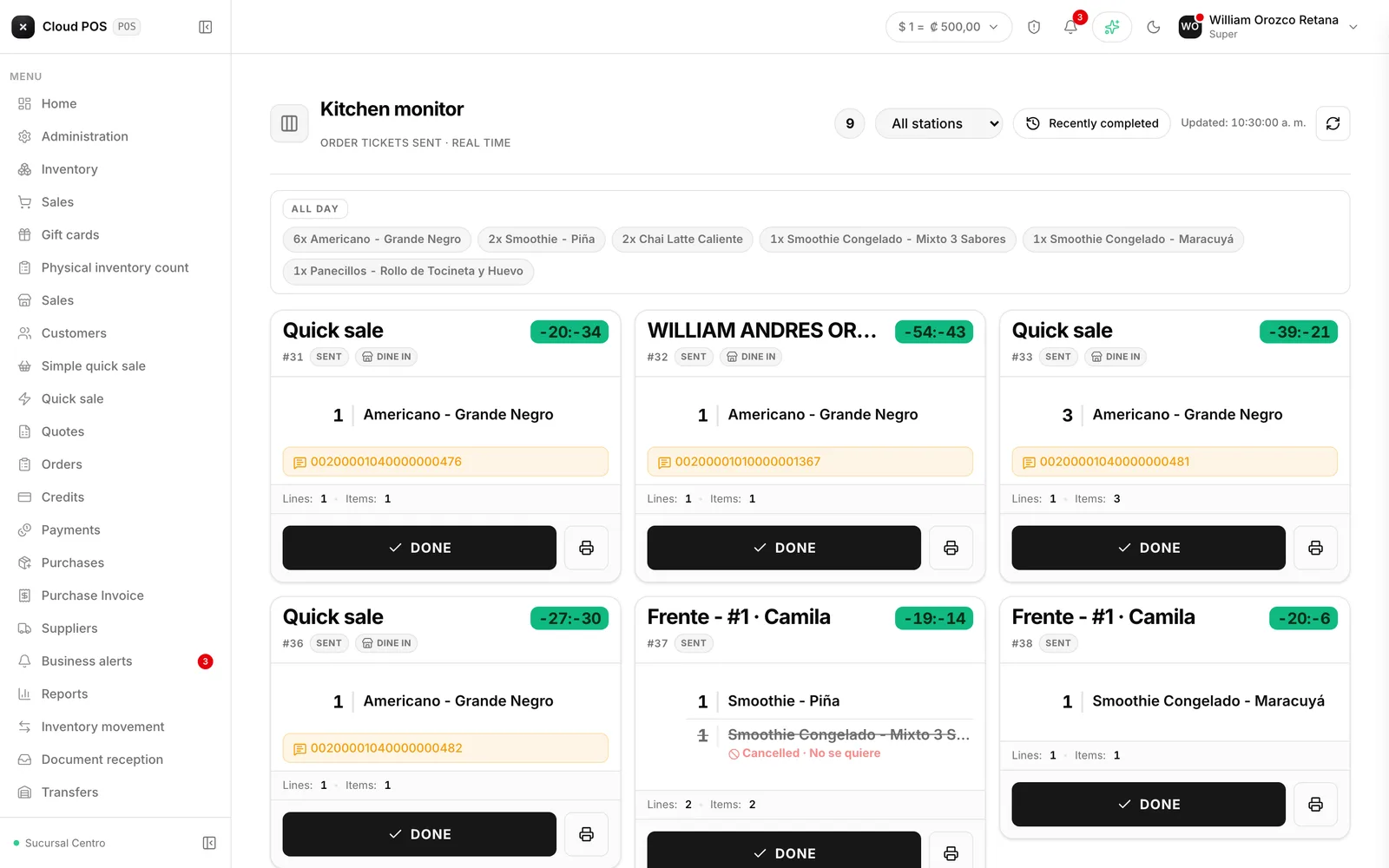
How to use the kitchen monitor →
The system can now be used in English
Every sales, inventory, customer, and report screen is now translated. It’s useful for tourism businesses with staff who don’t speak Spanish, or simply for anyone who prefers to work in English.
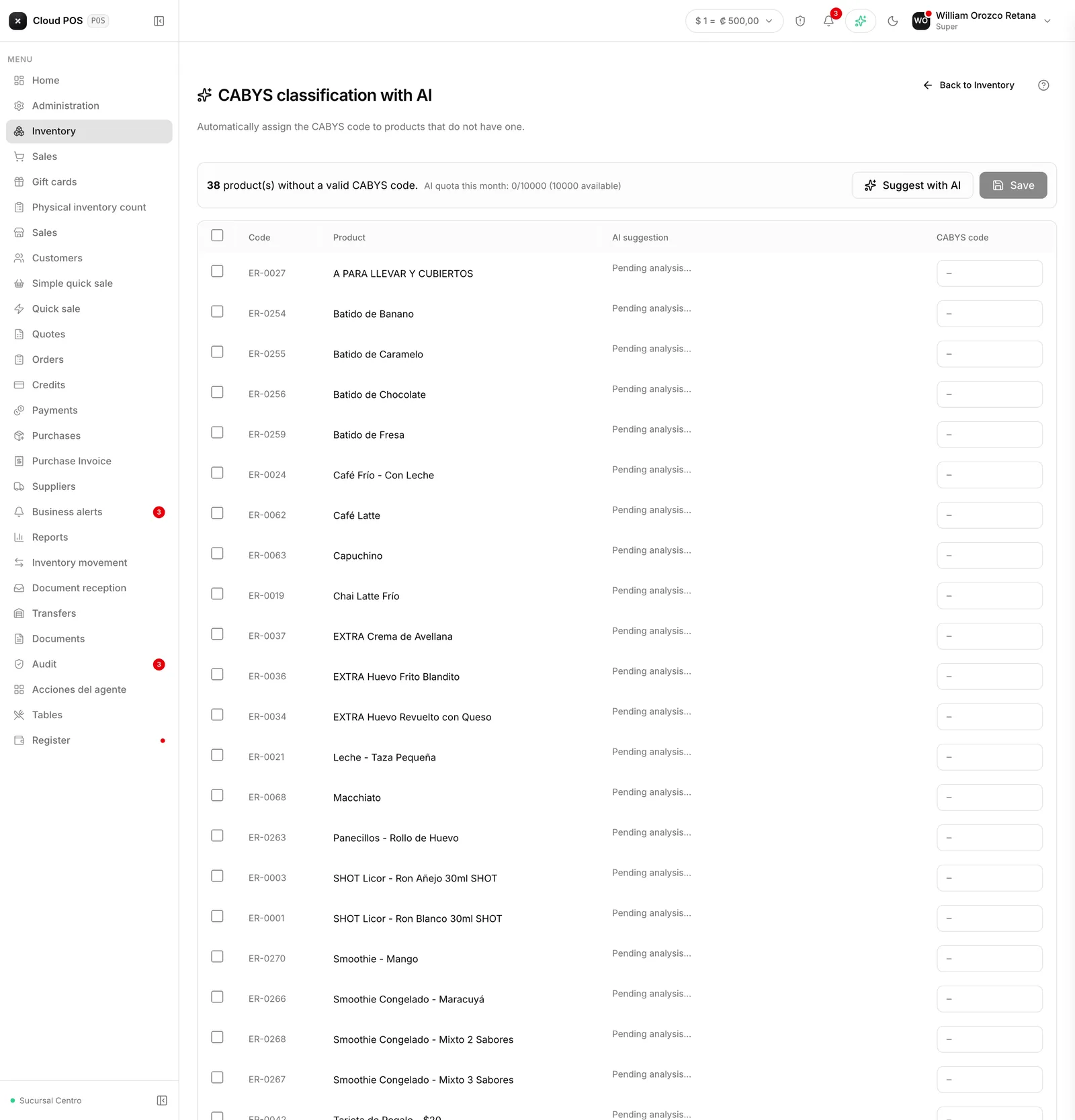
Automatic tax code suggestions for every product
When you create a product without a tax code, the system now suggests the right code based on the name, along with the reasoning behind the choice. You review and confirm — it’s never applied on its own.
Don’t see one of these features? The Orders module and tables are turned on per business. Write to us and we’ll check your setup.