Inventory
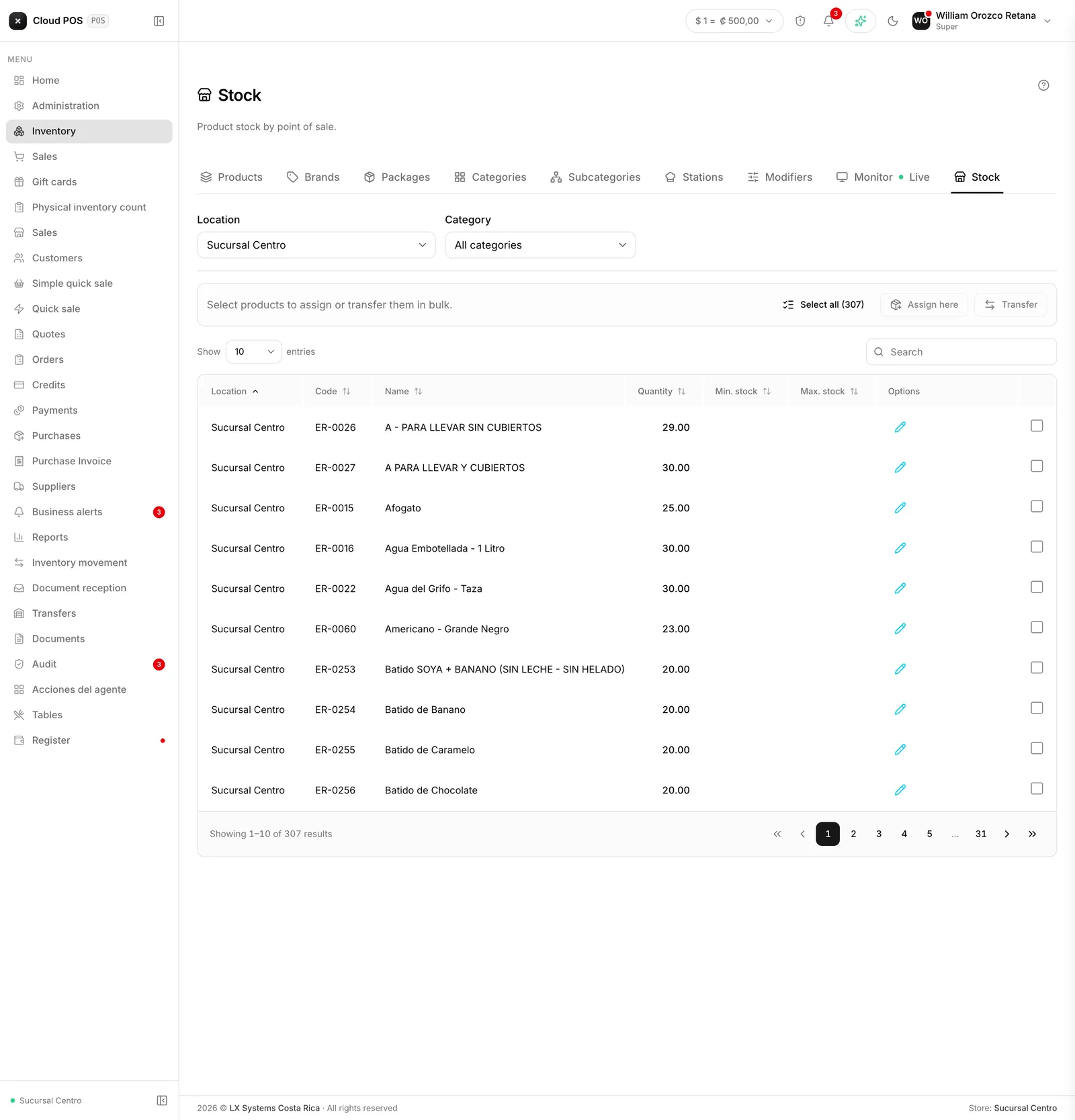
This is where the business’s product catalog lives: name, price, taxes, and how much of each item there is. Transfers between warehouses and any stock adjustments are also recorded here, always with a reason, so a shortage or a surplus can be explained later.
The inventory screens
| Screen | What it’s for |
|---|---|
| Inventory | The catalog: products, prices, taxes, and assigned warehouses |
| Stock by warehouse | How much of each product there is, warehouse by warehouse |
| Inventory monitor | What’s coming in and going out, live |
| Inventory movements | The history of entries, exits, and adjustments, with their reason |
| Transfers | Moving merchandise between warehouses or stores |
| Warehouses | The places where merchandise is stored |
| Packages | Combos made up of several products sold as one |
| Classify products | Assigning the tax code Hacienda requires to invoice each product |
Things worth keeping in mind
- The physical inventory count is its own module, Physical count. Counting merchandise and adjusting surpluses or shortages no longer lives inside Inventory: it has its own entry in the menu.
- A product doesn’t show up in the sales screens if it isn’t assigned to the warehouse (or store) currently selected. It’s the most common cause of “I can’t find it” — the product isn’t missing, it was just never assigned to that warehouse.
- Stock isn’t just edited by hand. Any quantity change requires a reason and is logged as a movement, with the previous value and the new one — so a shortage can always be traced.
- A package isn’t the same as a composite product. A package groups complete products that already exist separately, like a combo, and each one deducts its own stock. A composite product is a single product with a list of ingredients that’s informational only, for the kitchen order.
- The product’s tax code is required to invoice. Without a valid one, the product ends up misclassified with Hacienda. The classification screen suggests the code and the tax rate that applies to it.
- Transfers apply immediately, they’re not left pending for someone to receive or approve. They’re not just between warehouses: they’re also used to stock a store, return goods to the warehouse, or move between stores.